Beware Of Cybersquatters!
March 2, 2024

March 2, 2024

Have you ever searched for a specific website but landed on a completely different one after misspelling a letter or two in the URL? This deceptive tactic is known as cybersquatting. This practice not only jeopardizes the online presence of businesses and individuals but also poses a significant challenge in the ever-evolving landscape of cyber security. The scariest part is that you can be a victim of a cybersquatting domain and not even realize it.

Here’s what you need to know about this type of cybercrime:   What Is Cybersquatting?   Cybersquatting, also known as domain squatting, involves the malevolent act of registering a domain name that is confusingly similar to that of a legitimate entity, be it a business, organization, or individual. The primary motive behind this maneuver is often financial gain, with cybersquat aiming to exploit the recognition and success of well-known brands. However, the repercussions extend beyond monetary losses, as cybersquatting can stain the reputation of its victims.   Types Of Cybersquatting   There are many types of cybersquatting scams, but here are the most common ones you need to be aware of.
  1.  Top-Level Domain (TLD) Exploitation: 
    A TLD is the final element of a domain name, such as “.com,” “.co.uk” and “.org.” Because there are so many variations, it’s difficult for small to medium-sized businesses to register all of them for their brand, and it’s even more difficult for celebrities or famous individuals. 
    Cybercriminals will register matching domains using different TLDs and either create offensive or inappropriate websites, requesting the original domain owner to pay them to take them down, or they will use these websites to gain customers’ trust and make them susceptible to phishing attacks.
  2. Typo squatting: This cybersquatting involves intentionally registering misspelled domain names to capitalize on common typos, leading unsuspecting users to malicious sites.
     
    If you take Facebook.com, for example, here’s how a cybersquatter might buy their domains:
●    Faecbook.com ●    Facebokk.com ●    Faceboook.com   Typos are easy to make, so misspelled domains can generate a lot of traffic.  
  • Look-Alike Cybersquatting: This form involves creating domains with common words added to mislead customers, even if they aren’t confusingly similar at first glance.

Here are a few examples:
  Original: Google.com Lookalike: G00gle.com
 
Original: Amazon.com
Lookalike: amaz0n.com or amazon1.com
 
Original: Microsoft.com Lookalike: Microsofty.com   Looking at these, you might not think they’d easily trick users, but they still do!   How To Avoid Being A Cybersquatting Victim?   You can avoid being a cybersquatting victim by taking a proactive approach. Here are a few steps to take:  
  1. Register Your Trademark: To benefit from the full protection of the Anti-Cybersquatting Consumer Protection Act (ACPA) and Uniform Domain Name Dispute Resolution Policy (UDRP), it can be helpful to register your trademark early. These regulations will still apply if a cybercriminal registers a cybersquatting domain name and you have an unregistered trademark; however, you’ll need to prove you were using it for business before the domain was registered. Trademarks aren’t required, but they can make this easier.
  2. Invest In Multiple Prominent TLDs: When you register your domain, also register it with the most popular TLDs, like .co and .org.
  3. Be Cautious Of What Websites You Visit: When typing URLs into the address bar, double-check to ensure you’re going to the correct website.

This applies to links you click too! Hover over links with your mouse to confirm it is correct. For extra security, skip clicking links and type them into the search bar.   Cybersquatting is only one method hackers use to cause chaos. Cybercriminals are constantly developing new ways to scam businesses and individuals alike. If you want to double down on security to ensure you and your company are protected from sneaky attackers, we can help.   We’ll conduct a FREE, no-obligation Security Risk Assessment to examine your network security solutions to identify if and where you’re vulnerable to an attack and help you create a plan of action to ensure you’re protected. Click here to book a 10-minute Discovery Call with our team to get started.  

Text on dark blue background: “October is Cybersecurity Awareness Month. Be Safe.”
October 1, 2025
This October marks the Cybersecurity Awareness Month. What began as a modest campahas evolved into is a global initiative led by the CISA and the NCA. We’re proud to join this effort.
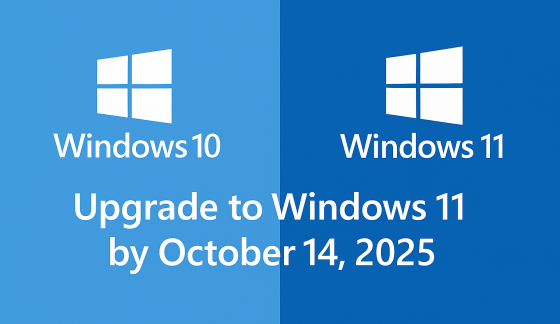
Windows 10 and Windows 11 logos with text:
September 24, 2025
Windows 10 support ends Oct 14, 2025. Learn how Microsoft’s Extended Security Updates (ESU) can keep your PC protected until 2026.
Password Day graphic with a padlock, password field, magnifying glass, and blue security shield
May 1, 2025
As we stand on the cusp of 2025, the technological landscape is evolving at an unprecedented pace, bringing both challenges and opportunities for businesses of all sizes. The coming year promises to be a pivotal one, with several key technology milestones set to reshape how we work, communicate, and conduct business. From the end of support for a widely-used operating system to the emergence of cutting-edge AI applications, these changes will impact everyone from small business owners to large corporations and individual users alike.

Show More →