


How To Get Out Of Overwhelm And Manage Projects Brilliantly (While Saving Money On IT)
November 25, 2023

November 25, 2023

It’s a special kind of relentless attack all business owners and managers face: the persistent, crazy, chaotic assault on your time and attention. No one is immune, and every business deals with it. 


Some leaders handle the constant pressure on their attention brilliantly, keeping the team organized and highly productive. But most people struggle with this and feel crushed and overwhelmed by everything they must keep track of and do. This goes double if your business is in growth mode and not “standing still” or casually strolling through its existence.  Add to this a remote workforce, and it can be intensely challenging to wrap your head around all the projects, to-dos, deadlines, and client deliverables you and your leadership team must manage.
While we as an IT company cannot tell you what projects are most important, we can help you and your team stay far more organized and allow you to know if the people on your team are appropriately aligned, prioritizing the proper work, and focused on the things you want them to focus on. We can also help you organize communication to lessen the chances of a dropped ball or a communication failure, which is the #1 reason problems happen in business.
One of the tools we recommend to clients wanting to get more operational control and more transparent communication is Microsoft Teams. There are a lot of reasons why this is a “super tool” for productivity and organizational alignment. Still, as a bonus, it typically saves our clients a lot of money on technology because it replaces other applications, like Slack, Zoom, and dozens of popular project management software, putting all of it into one lower-cost, more secure, and more tightly integrated system.
Let me share just a few cool features you’ll love in Teams. Keep in mind that this list is far from complete. Microsoft Teams has over 1,900 applications you can pick from to integrate into a Teams Channel to organize information, workflow, tasks, deadlines, and documents.
Posts: The “post” feature works a lot like Slack, allowing you to post questions, reminders, and status updates to everyone on that Team regarding that project. This not only keeps ALL communication for a project in one place, but it also creates a history and alerts everyone on the team to what’s happening. This feature saves a lot of money for companies using Slack since it’s native and included in Microsoft Teams.
Tasks By Planner and To-Do: This section of Teams is one of our favorites because it allows you to create “complex” to-do lists where you can assign each item to one or more people, have a progress status, priority, and due date, add documents and files; and create a checklist of all the things that need to be done. Better yet, team members responsible for the project can provide status updates and check off completed items so you know where you are with any project.
Video Conferencing: While Teams is not as slick as Zoom, it does have some features that make it better for team collaboration and projects. The most significant advantage over Zoom is that you can hold a video conference, and the meeting recording and all of the notes, files, and links will remain in that Team for easy reference later. This can be extremely helpful for people who might not have been able to attend a meeting, making it easy for them to find and watch the recording, and it also retains a record of critical conversations. Plus, it eliminates expensive Zoom licenses for all employees because it’s included in Microsoft 365.
If you want to see a Teams demo or do a cost analysis to see how implementing this can save your organization money on Slack, Zoom, and other project management software by combining it into one application, click here to schedule a brief call.

Text on dark blue background: “October is Cybersecurity Awareness Month. Be Safe.”
October 1, 2025
This October marks the Cybersecurity Awareness Month. What began as a modest campahas evolved into is a global initiative led by the CISA and the NCA. We’re proud to join this effort.
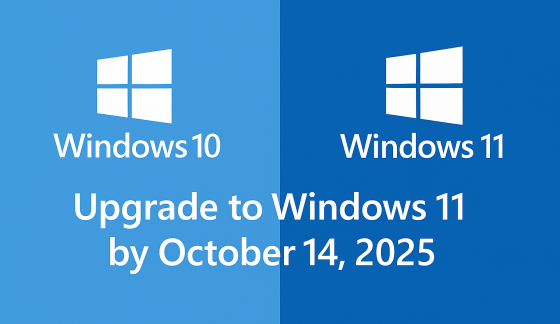
Windows 10 and Windows 11 logos with text:
September 24, 2025
Windows 10 support ends Oct 14, 2025. Learn how Microsoft’s Extended Security Updates (ESU) can keep your PC protected until 2026.

Password Day graphic with a padlock, password field, magnifying glass, and blue security shield
May 1, 2025
As we stand on the cusp of 2025, the technological landscape is evolving at an unprecedented pace, bringing both challenges and opportunities for businesses of all sizes. The coming year promises to be a pivotal one, with several key technology milestones set to reshape how we work, communicate, and conduct business. From the end of support for a widely-used operating system to the emergence of cutting-edge AI applications, these changes will impact everyone from small business owners to large corporations and individual users alike.

Show More →