Scammers Are Using These 10 Popular Brands to Trick You into Revealing Your Private Data
October 27, 2023

October 27, 2023

Cybercriminals know the easiest way to sneak under your radar is to pretend to be a brand you know and trust. These large companies have spent years on marketing, customer service, branding, and consistency to build a trustworthy reputation, and hackers leverage this to go after you.

The most common method is to use phishing attacks. These thieves set up URLs that look similar to the actual company’s website. To slip by your watchful eye, here are some of the simple switches hackers make that can go unnoticed:  
  1. Switching out a zero for the letter “O” or a capital “i” for a lowercase “L.” If you’re quickly reading an e-mail, it might look legit.
  2. Adding in a word that seems like it could be a subdomain of the real company, like “info@googleservice.com.”
  3. Using a different domain extension, like “info@google.io.”
  Some criminals will take it further and create a web page that looks identical to the real website. When you click the link – via e-mail, SMS, or even through social media – several dangerous results can occur.   The first is that malware can be installed on your computer. Clicking a bad link can set off an automatic malware download that contains malicious files that can collect personally identifiable information from your device, like usernames, credit card or bank account numbers, and more.   The second is the fake website will have a form to harvest your information. This could be login credentials, passwords, and, in some cases, your credit or bank information.   The third most common issue is an open redirect. The link might look legit, but when you click on it, you’re redirected to a malicious website where the intent is to steal your information.   What brand impersonations do you need to look out for? Well, all of them, but according to Check Point’s latest Brand Phishing Report , ten companies top the chart in overall appearance in brand phishing attempts.   Here Are the Top 10 Most Frequently Impersonated Brands In Phishing Attempts In Q2 Of 2023:  
  1. Microsoft (29%)
  2. Google (19.5%)
  3. Apple (5.2%)
  4. Wells Fargo (4.2%)
  5. Amazon (4%)
  6. Walmart (3.9%)
  7. Roblox (3.8%)
  8. LinkedIn (3%)
  9. Home Depot (2.5%)
  10. Facebook (2.1%)
  Take a minute and ask yourself how many of the companies on this list send you regular e-mail communications. Even just one puts you at risk.   Cybercriminals go the full mile with these scams. They know what messages work best for each company to get your attention.  Here are three common phishing attacks cybercriminals have used under these brands’ good names to access your private information.   Unusual Activity – These e-mails will suggest that someone gained access to your account, and you need to change your password quickly. They leverage fear so people will click without thinking, hurrying to change their password before becoming a victim of the attack.

They usually have buttons that say, “Review Recent Activity” or “Click Here To Change Your Password.”  These e-mails can go as far as to show fake login information detailing the region, IP address, time of sign-in, and more, like real messages from the companies do to convince you to click.
 
Fake Gift Cards – These e-mails suggest someone sent you an e-gift card. When you open the e-mail, it either redirects you to a website to “claim your gift card” or has a button to “redeem now.”

 
Account Verification Required – These e-mails suggest that your account has been disconnected, and they need you to verify your information. As soon as you enter your login credentials, the hacker has access.   These scams are happening every single day. You’re a target, but so are the unsuspecting employees in your company. Without proper training, they might not know what to look for, panic, and try to resolve these “issues” under the radar, ultimately causing the problem.   There are multiple steps to making sure your network is secure. One would be getting e-mail monitoring to help reduce the likelihood of these phishing e-mails ending in your inbox. It’s also essential to make sure employees know what to look for so that if an e-mail does get by the phishing detection system, they can keep your company safe.   The best thing to do is to start here with your FREE Cybersecurity Risk Assessment . We’ll evaluate your network and provide a full report on areas where you are vulnerable and what to do to fix them. There’s no obligation, but you should know where you’re at risk. Click  here   to book your free assessment, or call us at  941-493-5126  to get started with a scheduled meeting. 

Text on dark blue background: “October is Cybersecurity Awareness Month. Be Safe.”
October 1, 2025
This October marks the Cybersecurity Awareness Month. What began as a modest campahas evolved into is a global initiative led by the CISA and the NCA. We’re proud to join this effort.
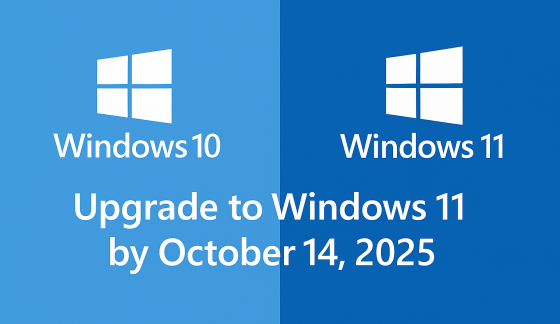
Windows 10 and Windows 11 logos with text:
September 24, 2025
Windows 10 support ends Oct 14, 2025. Learn how Microsoft’s Extended Security Updates (ESU) can keep your PC protected until 2026.
Password Day graphic with a padlock, password field, magnifying glass, and blue security shield
May 1, 2025
As we stand on the cusp of 2025, the technological landscape is evolving at an unprecedented pace, bringing both challenges and opportunities for businesses of all sizes. The coming year promises to be a pivotal one, with several key technology milestones set to reshape how we work, communicate, and conduct business. From the end of support for a widely-used operating system to the emergence of cutting-edge AI applications, these changes will impact everyone from small business owners to large corporations and individual users alike.

Show More →